Introduction
Imagine being able to have a face-to-face conversation with anyone in the world, instantly and without any special software. Whether it’s a business meeting, a telehealth consultation, or a virtual classroom, real-time communication has become an integral part of our daily lives. The demand for seamless, high-quality interactions is higher than ever, driving innovation in how we connect online.
Enter WebRTC, a groundbreaking technology that makes real-time communication over the internet simple and accessible. WebRTC (Web Real-Time Communication) allows for direct peer-to-peer audio, video, and data sharing between browsers without the need for plugins or additional software. This technology is the backbone of many popular applications, from video conferencing tools and online learning platforms to telehealth services and live streaming apps. Companies specializing in WebRTC app development leverage this technology to create robust, scalable solutions for various industries.
In this blog post, we will delve into the basics of WebRTC, exploring how it works, its key features, and the benefits it brings to various applications. By the end of this post, you’ll have a solid understanding of WebRTC and why it is revolutionizing the way we communicate online. Whether you’re a developer looking to integrate real-time communication into your projects or simply curious about the technology powering your favorite apps, this guide will provide you with valuable insights into the world of WebRTC. If you need assistance, our company Trembit.com specializes in WebRTC development and can help you implement this cutting-edge technology. Feel free to contact us for expert WebRTC development solutions tailored to your needs.
What is WebRTC?
Definition: WebRTC, which stands for Web Real-Time Communication, is an open-source project that provides web browsers and mobile applications with real-time communication capabilities via simple application programming interfaces (APIs). This technology allows audio, video, and data to be exchanged directly between browsers without the need for plugins, facilitating peer-to-peer communication.
History and Development:
WebRTC was initiated by Google in 2011 following their acquisition of Global IP Solutions (GIPS), a company specializing in VoIP and videoconferencing technologies. Google open-sourced the GIPS technology and collaborated with major industry players and standards bodies such as the World Wide Web Consortium (W3C) and the Internet Engineering Task Force (IETF) to develop and standardize WebRTC. Significant milestones include:
- 2011: Google releases WebRTC as an open-source project.
- 2013: First cross-browser video call demonstration.
- 2014: Google Hangouts begins using WebRTC.
- 2018: WebRTC 1.0 is officially released.
- 2021: WebRTC 1.0 transitions to an official standard.
Supported by major browsers like Google Chrome, Mozilla Firefox, Apple Safari, and Microsoft Edge, WebRTC has become a cornerstone technology for real-time web communication.
Core Technologies:
WebRTC is built on several core technologies that enable its functionality:
- HTML5: The latest version of the standard markup language for creating web pages, HTML5 includes new elements and APIs that support media playback and real-time communication.
- JavaScript: A high-level, dynamic programming language essential for implementing WebRTC in web applications. JavaScript APIs provided by WebRTC allow developers to control media capture, peer-to-peer connections, and data transmission.
- Web APIs: WebRTC utilizes several JavaScript APIs to facilitate real-time communication:
- getUserMedia API: This API grants access to a user’s camera and microphone, enabling media capture.
- RTCPeerConnection API: The core API for establishing peer-to-peer connections, handling the negotiation of the connection, and managing the transmission of audio, video, and data.
- RTCDataChannel API: Allows for peer-to-peer data exchange, supporting the transfer of arbitrary data between peers with very low latency.
These technologies collectively enable WebRTC to provide seamless, high-quality real-time communication experiences directly within web browsers, significantly enhancing how we interact online.
By leveraging these technologies, WebRTC simplifies the process of developing interactive, real-time communication applications, making it an essential tool for modern web developers and businesses alike. Companies specializing in WebRTC application development services can provide robust and scalable solutions for various communication needs, further highlighting the importance of WebRTC technology. If you need expert assistance, consider hiring WebRTC developers or partnering with a WebRTC development company, like Trembit.com to fully realize the potential of this transformative technology.
How Does WebRTC Work?
Basic Workflow:
The basic workflow of a WebRTC connection involves several steps, starting from the initiation of a session to the exchange of media. Here’s an outline of this process:
- Initiation: The process begins with one user initiating a call or communication request. This request is sent via a signaling server to the intended recipient.
- Signaling: Both users exchange session descriptions (SDP) and ICE candidates (network information) through the signaling server to negotiate and establish the connection parameters.
- Connection Establishment: Once the signaling information is exchanged, each peer uses the information to establish a direct peer-to-peer connection.
- Media Exchange: After the connection is established, audio, video, and data streams are captured, encoded, and transmitted directly between the peers.
- Connection Termination: When the communication ends, the connection is terminated, and resources are released.
Key Components:
Media Capture:
- getUserMedia API: This API allows WebRTC applications to access a user’s media devices such as the camera and microphone. It captures the audio and video streams that will be sent over the network. Users typically need to grant permission for the browser to access these devices.
Signaling:
- Signaling Protocols: WebRTC does not mandate a specific signaling protocol, so developers can use WebSockets, HTTP, or any other protocol to exchange signaling messages. The signaling process involves the exchange of offer/answer messages (SDP) and ICE candidates to negotiate and establish the connection.
- Offer/Answer Model: One peer creates an offer describing the media and network parameters, and the other peer responds with an answer.
- ICE Candidates: These are pieces of network information used to find the best path for the media to travel between peers.
Peer-to-Peer Communication:
- RTCPeerConnection API: This API is responsible for managing the entire lifecycle of the peer-to-peer connection, from setup to teardown. It handles tasks such as codec selection, encryption, and managing the media streams.
STUN and TURN Servers:
- STUN (Session Traversal Utilities for NAT): STUN servers help peers discover their public IP addresses and determine the type of NAT they are behind. This information is crucial for establishing a direct connection.
- TURN (Traversal Using Relays around NAT): When a direct connection cannot be established (due to strict NAT or firewall settings), TURN servers relay the media traffic between peers. TURN servers act as intermediaries to ensure the media can be transmitted reliably.
By utilizing these key components, WebRTC effectively manages the complexities of real-time communication, providing a seamless and efficient experience for users. The combination of media capture, signaling, peer-to-peer communication, and the use of STUN/TURN servers ensures robust and high-quality real-time interactions.
Key Features of WebRTC
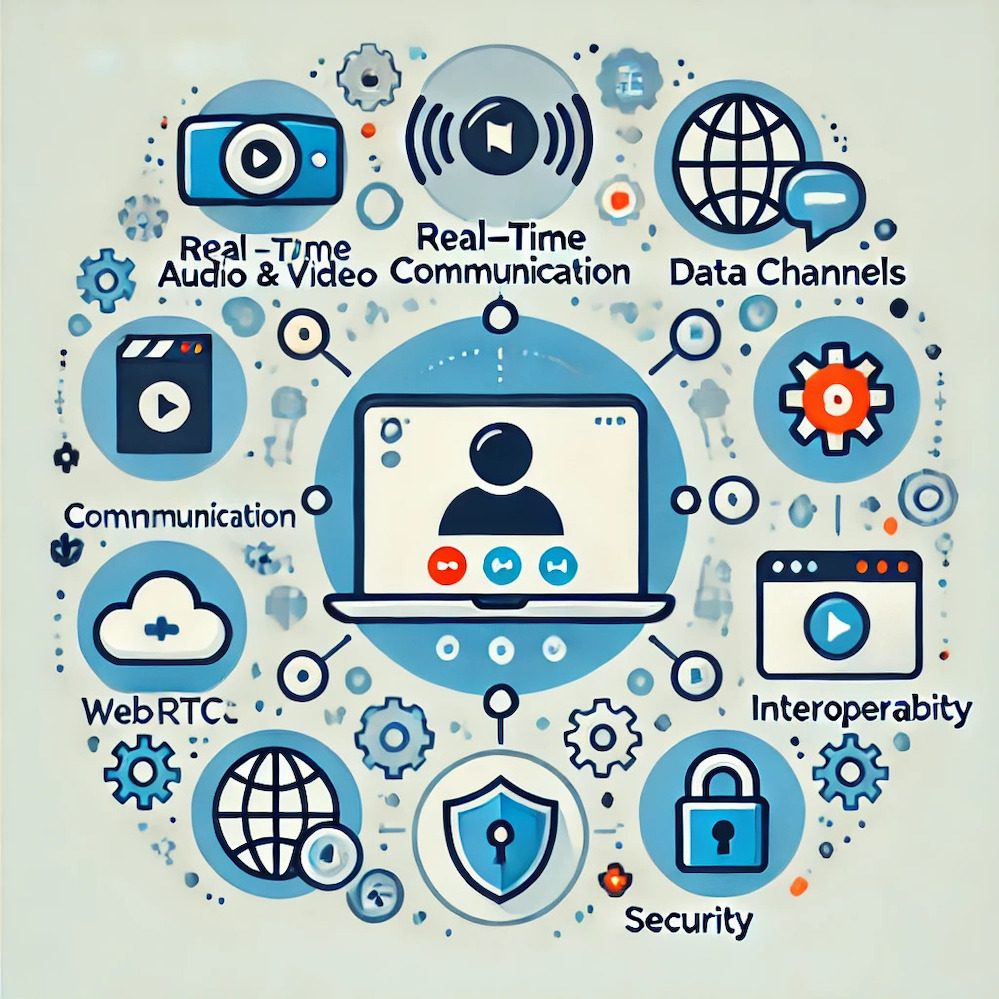
Real-Time Audio and Video Communication: WebRTC enables real-time audio and video communication by allowing direct peer-to-peer connections between browsers. This eliminates the need for plugins or external software, making it easy to implement in web applications. The core API responsible for managing these connections is the RTCPeerConnection API, which handles the complexities of establishing and maintaining the connection, codec negotiation, and media streaming. WebRTC supports high-quality audio and video transmission, making it suitable for applications like video conferencing, telehealth, and online education.
Data Channels: WebRTC includes the RTCDataChannel API, which allows for peer-to-peer data exchange in addition to audio and video communication. This feature supports the transfer of arbitrary data, such as files, text messages, and other application-specific data, between connected peers. The data channel is highly versatile and can be used for real-time gaming, collaborative tools, and file-sharing applications. It operates with low latency and is designed to handle reliable and ordered data delivery, similar to WebSockets but with the added benefit of being part of the WebRTC ecosystem.
Interoperability: One of WebRTC’s significant strengths is its interoperability across different browsers and devices. WebRTC is supported by all major browsers, including Google Chrome, Mozilla Firefox, Apple Safari, and Microsoft Edge, as well as mobile platforms like Android and iOS. This broad support ensures that applications built with WebRTC can reach a wide audience without compatibility issues. The technology’s standardized APIs and protocols enable seamless integration and communication between different devices and operating systems, making it a reliable choice for developers aiming for cross-platform functionality.
Security: WebRTC is designed with security as a fundamental feature. It includes several security measures to ensure that the communication is private and secure:
- Encryption: All media streams and data channels in WebRTC are encrypted using Secure Real-time Transport Protocol (SRTP) for media and Datagram Transport Layer Security (DTLS) for data channels. This ensures that audio, video, and data are protected from eavesdropping and tampering.
- Secure Access: WebRTC requires explicit user permission to access media devices like cameras and microphones. This user consent model prevents unauthorized access to sensitive hardware.
- IP Address Privacy: WebRTC includes mechanisms to protect user privacy by limiting the exposure of local IP addresses, reducing the risk of IP leakage during communication.
- Security Protocols: WebRTC adheres to modern web security standards, integrating seamlessly with existing web security frameworks such as HTTPS, to provide a robust security posture.
By incorporating these key features, WebRTC provides a comprehensive solution for real-time communication that is versatile, secure, and compatible with a wide range of devices and platforms. This makes it an ideal choice for developers looking to create interactive and engaging web applications.
Common Use Cases for WebRTC
Video Conferencing: WebRTC powers video conferencing applications by enabling real-time audio and video communication directly within web browsers. This technology provides a seamless user experience, eliminating the need for plugins or additional software. Popular video conferencing platforms like Google Meet, Zoom, and Microsoft Teams leverage WebRTC to offer high-quality video and audio calls. WebRTC’s ability to handle peer-to-peer connections ensures low latency and high performance, making it ideal for one-on-one meetings, group calls, and large-scale webinars.
Telemedicine: WebRTC plays a crucial role in telemedicine and remote healthcare by facilitating secure and real-time communication between patients and healthcare providers. Telemedicine platforms use WebRTC to offer video consultations, enabling doctors to diagnose and treat patients remotely. The technology’s encryption features ensure that sensitive medical information remains confidential. WebRTC’s high-quality video and audio capabilities allow for detailed visual examinations and effective patient-provider interactions, making healthcare more accessible, especially in remote or underserved areas.
Online Education: WebRTC is extensively used in online education platforms to support live classes, webinars, and interactive learning sessions. Platforms like Google Classroom, Coursera, and Udemy use WebRTC to enable real-time communication between instructors and students. WebRTC’s data channels allow for the integration of features such as real-time quizzes, file sharing, and collaborative tools, enhancing the learning experience. The technology’s ability to provide high-quality video and audio ensures that virtual classrooms are as effective as in-person ones, promoting engagement and interaction.
Live Streaming: WebRTC is utilized in live streaming and real-time entertainment to deliver low-latency video content. Applications like Twitch, Facebook Live, and YouTube Live use WebRTC to provide live streaming services that enable viewers to watch events in real time. The technology’s support for adaptive bitrate streaming ensures that viewers receive the best possible quality based on their network conditions. WebRTC’s ability to handle large-scale live streaming with minimal delay makes it suitable for broadcasting sports events, concerts, gaming sessions, and interactive shows.
Customer Support: WebRTC enhances customer support by enabling live chat and video assistance directly within websites and applications. Companies integrate WebRTC to provide real-time helpdesk services, allowing customers to communicate with support agents via video calls, voice calls, or text chat. This direct interaction improves customer satisfaction by offering immediate and personalized assistance. WebRTC’s data channels can also be used to share screens, transfer files, and demonstrate solutions in real time, making customer support more efficient and effective.
By leveraging WebRTC in these use cases, businesses and organizations can provide high-quality, real-time communication solutions that enhance user experiences and meet the growing demand for instant connectivity.
Advantages of Using WebRTC
Cost-Effectiveness: WebRTC significantly reduces costs by eliminating the need for proprietary software and plugins. As an open-source technology, WebRTC is freely available and can be integrated into web applications without incurring licensing fees. This cost savings extends to both developers and end-users, who can access real-time communication features directly within their browsers without additional installations. By using WebRTC, businesses can avoid the expenses associated with developing or purchasing specialized communication software, making it a budget-friendly solution for implementing high-quality audio and video communication. However, for more complex scenarios like handling large video conferences, businesses might need to use video streaming servers such as SFUs (Selective Forwarding Units). These servers can manage multiple video streams efficiently but may incur additional costs. Additionally, while open-source tools are free, they require ongoing support and maintenance, which can involve significant resources.
Ease of Use: WebRTC is designed for simplicity and ease of integration into web applications. Developers can use straightforward JavaScript APIs to implement real-time communication features, significantly reducing development time and effort. The technology’s compatibility with all major browsers ensures that applications built with WebRTC can reach a wide audience without compatibility issues. Additionally, the lack of required plugins or additional software installations simplifies the user experience, allowing users to engage in real-time communication effortlessly.
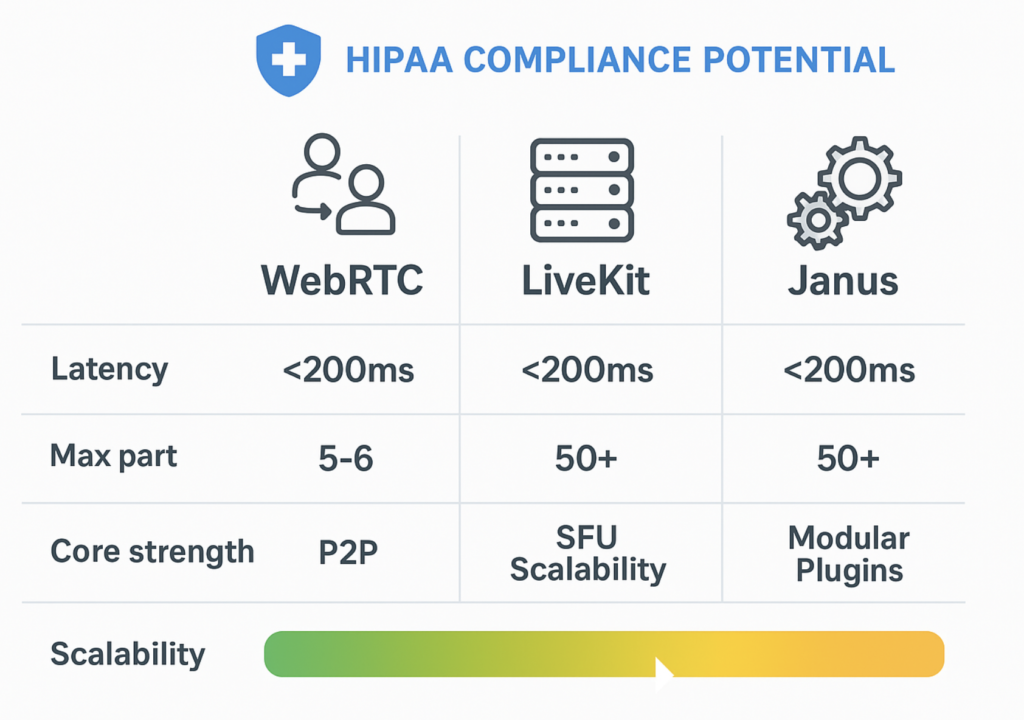
Scalability: WebRTC offers excellent scalability, making it suitable for applications of all sizes, from small-scale personal projects to large enterprise solutions. The technology can handle a range of communication needs, from one-on-one calls to group video conferences and large webinars. WebRTC’s peer-to-peer architecture allows for efficient use of network resources, and its ability to integrate with STUN and TURN servers ensures reliable connectivity even in complex network environments. This scalability enables businesses to grow their communication capabilities as their needs expand without overhauling their infrastructure.
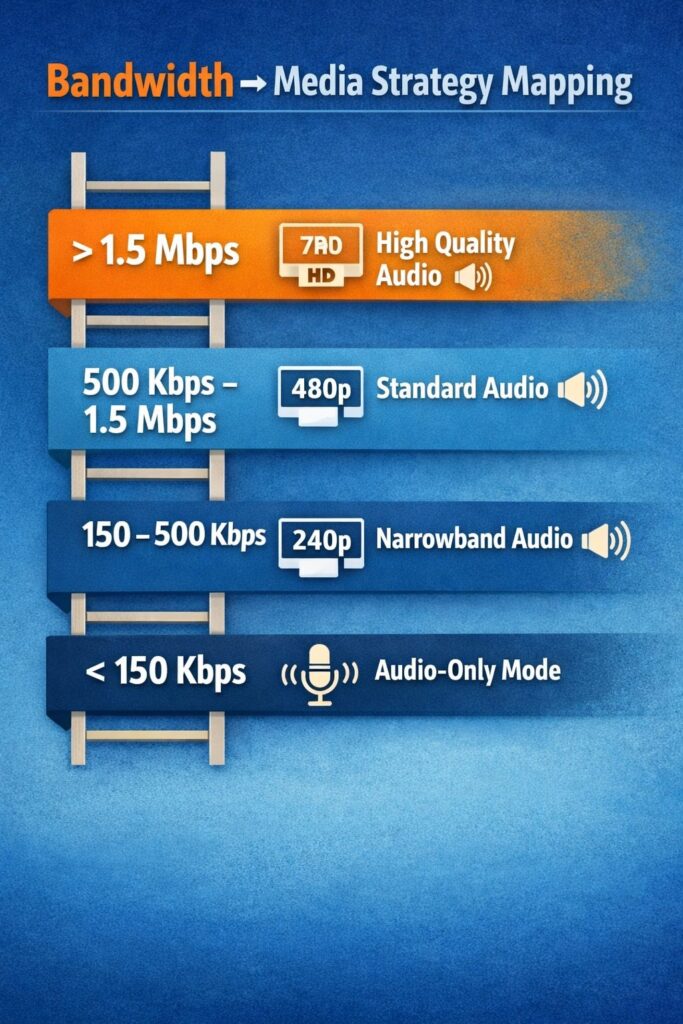
High Quality: WebRTC provides high-quality audio and video communication, ensuring a superior user experience. The technology supports advanced codecs that deliver clear, crisp audio and high-definition video. WebRTC’s adaptive bitrate streaming adjusts the quality of the media in real-time based on network conditions, minimizing interruptions and maintaining a smooth communication flow. This ensures that users experience the best possible quality, whether they are on a high-speed broadband connection or a slower network. The emphasis on high-quality performance makes WebRTC an ideal choice for applications where communication clarity and reliability are paramount.
By leveraging these advantages, WebRTC enables businesses and developers to create powerful, cost-effective, and user-friendly real-time communication solutions that can scale to meet a variety of needs while delivering high-quality experiences.

Getting Started with WebRTC
Basic Requirements:
To implement WebRTC, you need to ensure that you have the following basic requirements:
- Supported Browsers: WebRTC is supported by all major modern browsers, including:
- Google Chrome (version 28+)
- Mozilla Firefox (version 22+)
- Apple Safari (version 11+)
- Microsoft Edge (version 12+)
- Opera (version 18+)
- Hardware: Devices should have:
- A camera for video capture
- A microphone for audio capture
- Sufficient CPU and memory resources to handle media processing
- Network: A stable internet connection is essential for high-quality real-time communication. Consider using STUN/TURN servers to handle NAT traversal and ensure connectivity in various network conditions.
Steps to Implement WebRTC:
- Media Capture: Access the user’s camera and microphone to capture audio and video streams.
- Signaling: Use a signaling server to exchange information between peers to establish a connection. This involves sending and receiving session descriptions and ICE candidates.
- Peer Connection: Establish a peer-to-peer connection using the RTCPeerConnection API, which handles media stream exchange and connection management.
- Stream Media: Once the connection is established, the captured media streams can be transmitted directly between peers.
Resources:
To learn more about WebRTC and how to implement it effectively, consider the following resources:
- Official Documentation: The WebRTC API Documentation provides comprehensive information on WebRTC APIs and their usage.
- Tutorials and Guides:
- MDN Web Docs: Offers detailed guides and examples for WebRTC implementation.
- WebRTC Samples: Provides practical examples to help understand different aspects of WebRTC.
- Online Courses:
- Community and Forums:
- Stack Overflow: A platform where developers discuss issues and share solutions related to WebRTC.
- WebRTC Google Group: A discussion forum for WebRTC developers and enthusiasts.
By understanding the basic requirements, following the implementation steps, and utilizing available resources, you can effectively incorporate WebRTC into your projects, enabling high-quality real-time communication.
Conclusion
In this blog post, we delved into the fundamentals of WebRTC, a powerful technology enabling real-time communication directly within web browsers. We covered the definition of WebRTC, its history and development, core technologies, key features, and common use cases such as video conferencing, telemedicine, online education, live streaming, and customer support. Additionally, we discussed the advantages of using WebRTC, including cost-effectiveness, ease of use, scalability, and high-quality communication. Lastly, we outlined the basic requirements for getting started with WebRTC and provided resources for further learning.
We encourage you to explore WebRTC further by diving into the resources mentioned and considering how this technology can enhance your applications. If you need expert assistance, Trembit specializes in creating software applications with WebRTC. Our team is ready to help you leverage the full potential of WebRTC to meet your business needs. Stay tuned for future blog posts where we will cover more advanced topics and use cases, helping you to maximize the potential of WebRTC.
Feel free to reach out to us at Trembit for any inquiries or to discuss how we can assist with your WebRTC projects. Together, we can build innovative, high-quality real-time communication solutions tailored to your requirements.