Ever wonder what feature users want most after basic video chat? Recording. The ability to save and replay video conferences has become essential across industries. Businesses that automate video conference recording gain a powerful tool that extends the value of every virtual meeting beyond its scheduled time slot.
Recording serves practical purposes in numerous fields. Doctors record consultations for patients to review treatment instructions later. Students access recorded lectures to study at their own pace. Marketing teams capture product demonstrations for repeated use. Event organizers preserve live sessions for those who couldn’t attend. In each case, recording transforms a one-time conversation into a permanent, accessible resource.
Success with video recording hinges on selecting appropriate tools and configurations. High-quality audio capture demands proper microphones with noise cancellation capabilities. Clear video requires adequate cameras and lighting setups. The right software makes a difference too – look for solutions that are easy to use but still offer essential features like cloud storage and compatible formats. Every choice you make affects how good your recordings turn out.
In this article, we’ll show you the best ways to set up video conference recording for your needs.
Possible Solutions to Implement Video Conference Recording
Looking to add recording capabilities to your video conferencing system? There are three main approaches to consider. Each offers different benefits and challenges depending on your technical requirements and user needs.
Local Recording Software: Simple But Limited
The most straightforward approach is using screen recording software on a participant’s device. While widely accessible, this method comes with notable limitations:
- Performance issues – Recording requires substantial CPU and memory, which can slow down the user’s device during important meetings
- Reliability risks – If the user’s computer crashes or freezes, the entire recording is lost
- Human error factor – Users might forget to start recording or accidentally stop it
- Technical barriers – Many users struggle with installing and configuring third-party recording applications
These limitations make local recording impractical for business-critical meetings where consistent, reliable recording is essential.
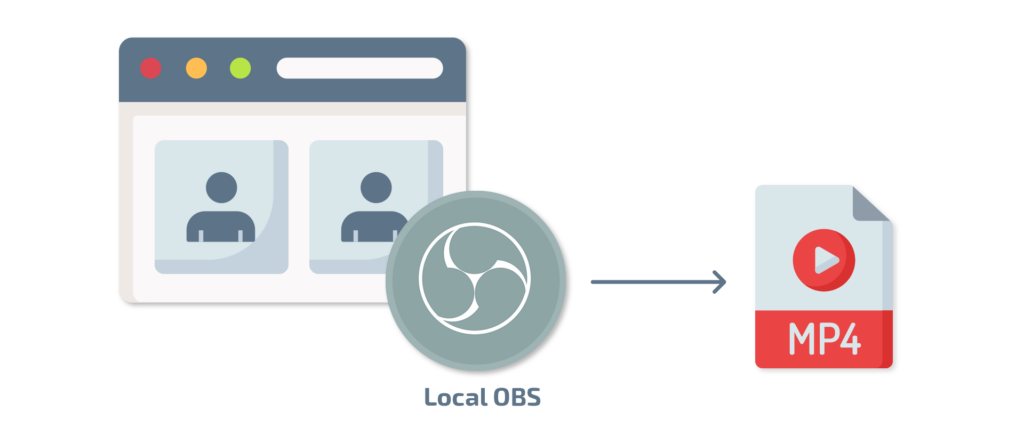
Hence the main purpose of this article is to describe how recording can be implemented on a server-side giving the user safety from human errors and local machine faults.
Server-Side Recording Solution #1: Browser-Based Automated Recording
A more robust approach implements recording on the server side using a “virtual participant” method. Here’s how it works:
When you start recording (or enable automatic recording), the system launches a browser on the server. This browser joins your meeting as an invisible participant. It captures everything happening in the meeting without using any resources on your computer.
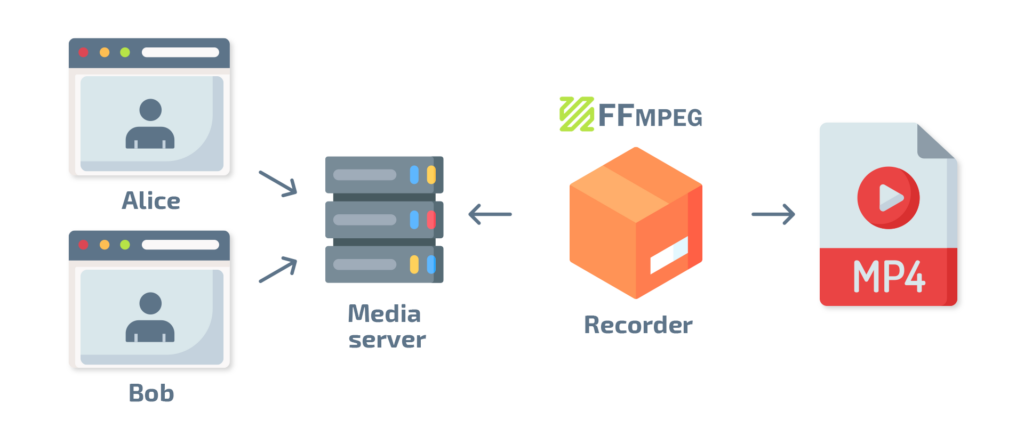
The process happens seamlessly in the background. Users simply press a button and get a high-quality recording with no technical hassle. Our team uses the open-source Jibri framework (https://github.com/jitsi/jibri) to implement this solution.
Server-Side Recording Solution #2: Direct Media Processing
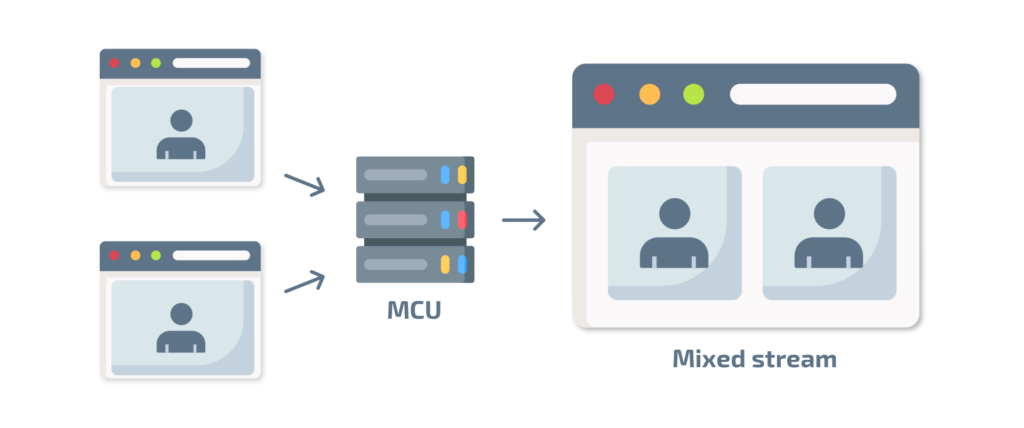
Running a browser on a server could be too excessive if the conference doesn’t have a fancy look and layout. If there is a need to concatenate 2 web cameras side by side, we can use simple tools for this. Either plain FFMPEG or a media server that is capable of doing that.
Advancing in Conference Recording Features
Once you’ve implemented basic recording capabilities, you can enhance your video conference system with additional features that add professional polish and expand your reach. Let’s explore two powerful options that take your recordings to the next level.
Restream to Expand Your Audience
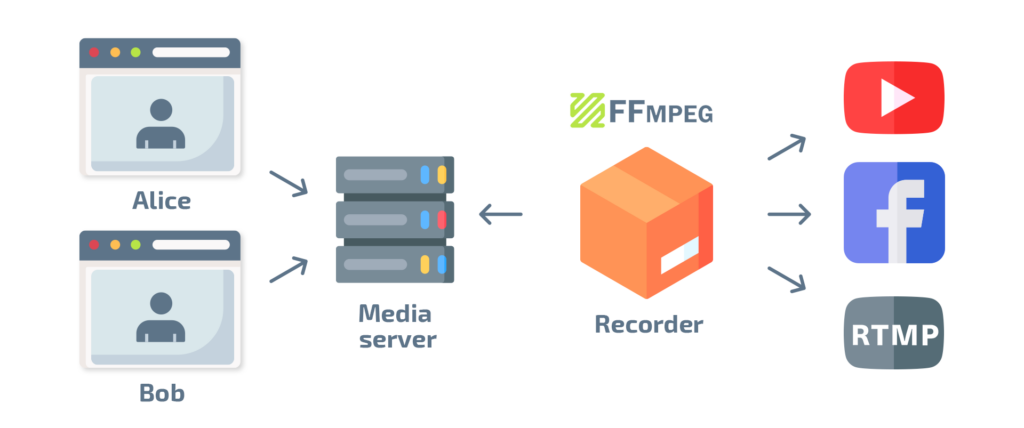
Take your video conferences to the next level by sharing them with a wider audience on platforms like YouTube, Facebook, and Twitch. The good news? You can use the same server-side recording setup to accomplish this.
With restreaming, your meetings can reach viewers across multiple platforms simultaneously. This feature is particularly valuable for webinars, virtual events, and public announcements that benefit from broader distribution.
Enhance Videos with Custom Overlays
Want to brand your video streams or add visual elements? You can easily place watermarks or logos on top of your recordings. Media servers like Red5Pro and Wowza provide this functionality as standard features
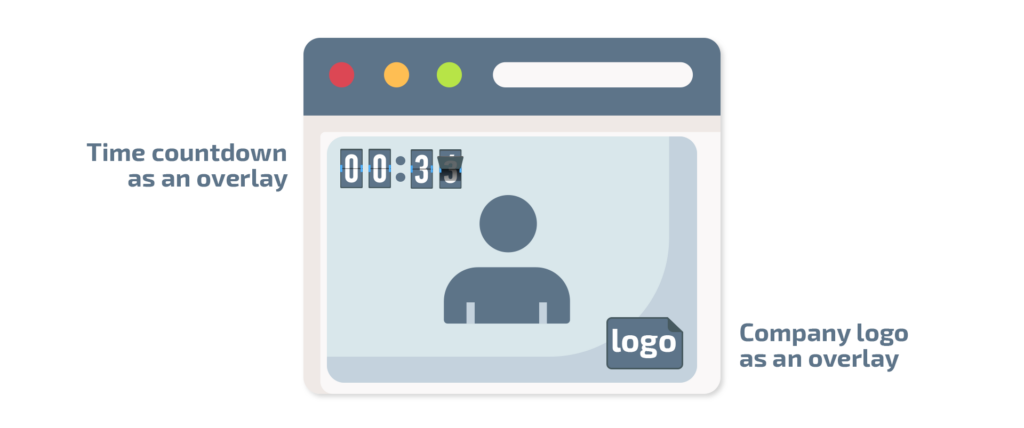
In our infrastructure, adding a static image over a video stream takes just a few simple steps. We can also incorporate animated graphics for more dynamic presentations. Since our system is browser-based, virtually anything that can be rendered in a web browser can be included in your video feed.
These overlay capabilities allow you to:
- Add your company logo for brand recognition
- Display speaker names and titles
- Include session information or timers
- Show social media handles or website URLs
- Feature calls-to-action for viewers
Emerging Technologies in Video Conference Recording
Video conference recording has come a long way in recent years. New technologies are changing how we capture and use meeting recordings. Companies can now automate video conference recording with tools that do much more than just save video files. These advanced systems turn recordings into valuable, searchable resources for teams. Let’s look at some exciting new approaches that are transforming this field.
AI-Enhanced Recording
Modern recording solutions now incorporate artificial intelligence to deliver smarter recordings:
- Automatic transcription – Convert speech to searchable text in real-time
- Speaker identification – Automatically label who is speaking
- Meeting summarization – Create concise AI-generated summaries of key points
- Action item extraction – Identify and compile tasks mentioned during meetings
- Content indexing – Make specific moments findable through keyword search
Cloud-Native Recording Architecture
The latest recording solutions leverage cloud-native designs for greater flexibility:
- Serverless processing – Scale recording resources automatically based on demand
- Microservices architecture – Process different aspects of recording independently
- Container orchestration – Deploy recording services efficiently across infrastructure
- Multi-region redundancy – Ensure recording availability regardless of regional outages
WebRTC Recording Innovations
WebRTC technology continues to evolve with new recording capabilities:
- Peer-to-peer recording – Capture media streams directly between participants
- SFU-based recording – Record directly from Selective Forwarding Units without additional processing
- WebCodecs integration – Use the new WebCodecs API for more efficient client-side processing
Interactive and Enhanced Recordings
Beyond basic capture, modern systems create more engaging recordings:
- Chaptered recordings – Automatically divide long meetings into searchable segments
- Multi-view playback – Allow viewers to choose which video feeds to focus on
- Interactive polls and Q&A – Preserve interactive elements within recordings
- Collaborative annotation – Enable viewers to add notes to specific moments in recordings
- Integrated editing tools – Trim and enhance recordings without external software
These advanced technologies transform video conference recordings from simple archives into powerful, interactive knowledge assets that extend the value of your meetings well beyond their original duration.
Best Practices for Video Conference Recording
Before concluding, let’s cover some essential best practices to ensure your recording implementation is successful:
Privacy and Consent: Always inform participants when a meeting is being recorded. Many jurisdictions require explicit consent from all parties. Consider implementing automatic notifications when recording begins.
Storage Management: Develop a clear retention policy for recordings. Consider factors like:
- How long recordings will be stored
- Automatic deletion schedules
- Storage optimization techniques (compression, archiving)
- Cloud vs. local storage options
Security Considerations: Protect sensitive recordings with:
- Access controls and permissions
- Encryption at rest and in transit
- Secure sharing mechanisms
- Compliance with relevant regulations (GDPR, HIPAA, etc.)
Common Implementation Challenges and Solutions
When implementing video conference recording, teams often encounter these challenges:
Network Bandwidth: Server-side recording increases bandwidth requirements. Ensure your infrastructure can handle the additional load, especially for high-definition recordings or multiple simultaneous sessions.
Solution: Implement adaptive bitrate technologies and consider dedicated recording servers for high-volume environments.
Synchronization Issues: Audio and video may become desynchronized during recording, especially in poor network conditions.
Solution: Use media servers with built-in synchronization capabilities and implement buffering mechanisms to handle network fluctuations.
Scalability: As recording usage grows, your initial implementation may face performance limitations.
Solution: Design your system with horizontal scaling in mind from the beginning, using load balancing and distributed processing for recording tasks.
Measuring Success: Key Metrics to Track
To evaluate the effectiveness of your recording implementation, monitor these metrics:
- Recording Quality Scores: Measure video/audio quality against benchmarks
- System Reliability: Track successful recordings vs. failures
- User Satisfaction: Gather feedback on the recording experience
- Storage Efficiency: Monitor space usage and compression ratios
- Access Patterns: Understand how and when recordings are being viewed
By tracking these metrics, you can continuously improve your recording implementation and ensure it meets user needs.
Conclusion
Recording is now a must-have for video conferencing, not just a nice extra. Good recording features make your app stand out and give users something they truly value.
Here are the key takeaways:
- Server-side recording works better than local recording – it’s more reliable and easier for users
- Add features like restreaming and overlays to make your platform more powerful
- New AI tools can turn basic recordings into searchable, interactive resources
- Cloud systems help your recording solution grow as your business expands
At Trembit, we build recording systems that actually work in real-world conditions. We’ve found that clients who automate video conference recording save countless hours and preserve important information that would otherwise be lost. Our solutions are designed to run reliably in the background without creating technical headaches for your team.
Ready to enhance your video platform?
Every project has unique requirements. Your healthcare platform needs different privacy controls than an educational webinar system. That’s why we start with understanding your specific users and workflows.
Have a coffee with our team to explore what’s possible. We won’t throw technical jargon at you or push unnecessary features. Instead, we’ll have an honest conversation about what will actually help your users capture and share important meetings.
Drop us a message to explore how recording can work for your specific platform.